Sunday, June 1, 2014

IDEONE Java Basics 104 – Operator Precedence

---
IDEONE Java Basics 104 – Operator Precedence

PREREQUISITE

This tutorial uses the online compiler IDEone (www.ideone.com ).
IDEone gives you few benefits:
1) Zero setup. You just need Internet Connection and a modern Web Browser.
2) Online storage. You can refer back to the codes at later time.
3) Public codes available. You can also see how others write codes and learn from them as well.
4) Online Learning. You can ask a companion at remote location to help edit the codes or review your codes for improvements or troubleshooting algorithms.

STEPS

1) Start with the basic template

Clone the code above. (Click the Fork button).

2) Edit the codes.

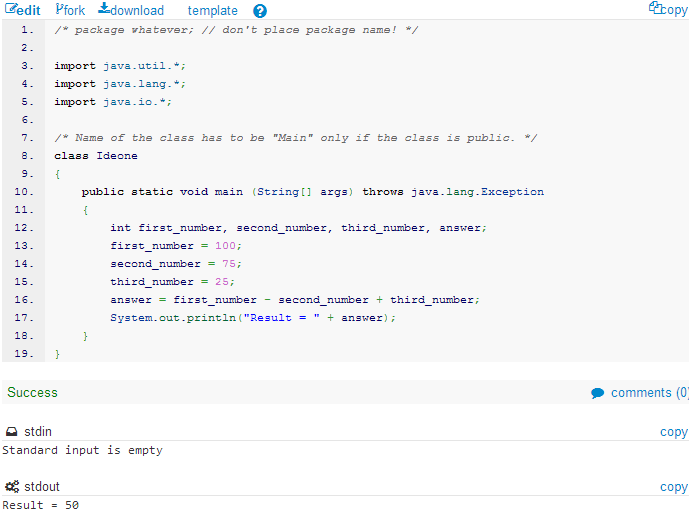
2-1) Change the variable data type to int and add a new variable third_number in the  declaration statement.

                int first_number, second_number, third_number, answer;
2-2) Change the assignment statements.

                first_number = 100;
                second_number = 75;
                third_number = 25;
2-3) Change the operation statement.

                answer = first_number - second_number + third_number;
2-4) Change the output statement.

                System.out.println("Result = " + answer);
2-5) Run.
step.1: 100-75=25
step.2: 25+25=50
2-6) Change the operation statement.

                answer = first_number + second_number - third_number;
2-7) Run
step.1: 100+75=175
step.2: 175-25=25
2-8) Change the operation statement.

                answer = first_number + second_number * third_number;
2-9) Run
step.1: 75x25=1875
step.2: 100+1875=1975
2-10) Change the operation statement.

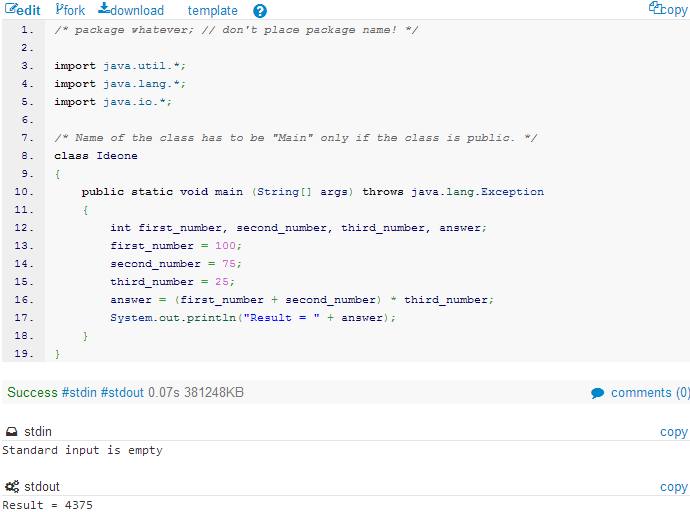
                answer = (first_number + second_number) * third_number;
2-11) Run
step.1: 100+75=175
step.2: 175x25=4375
2-12) Find out whether the following operations result with the same outcome.
Operation A:

                answer = first_number / second_number * third_number;
Operation B:

                answer = first_number * second_number / third_number;
Lessons:
Operator Precedence Rule:
  • Multiply and Divide - Treated equally, but have priority over Addition and Subtraction
  • Add and Subtract - Treated equally but have a lower priority than multiplication and division

REFERENCE

---

IDEONE Java Basics 103 – Float Variables

---
IDEONE Java Basics 103 – Float Variables

PREREQUISITE

This tutorial uses the online compiler IDEone (www.ideone.com ).
IDEone gives you few benefits:
1) Zero setup. You just need Internet Connection and a modern Web Browser.
2) Online storage. You can refer back to the codes at later time.
3) Public codes available. You can also see how others write codes and learn from them as well.
4) Online Learning. You can ask a companion at remote location to help edit the codes or review your codes for improvements or troubleshooting algorithms.

STEPS

1) Start with the basic template

Clone the code above. (Click the Fork button).

2) Edit the codes.

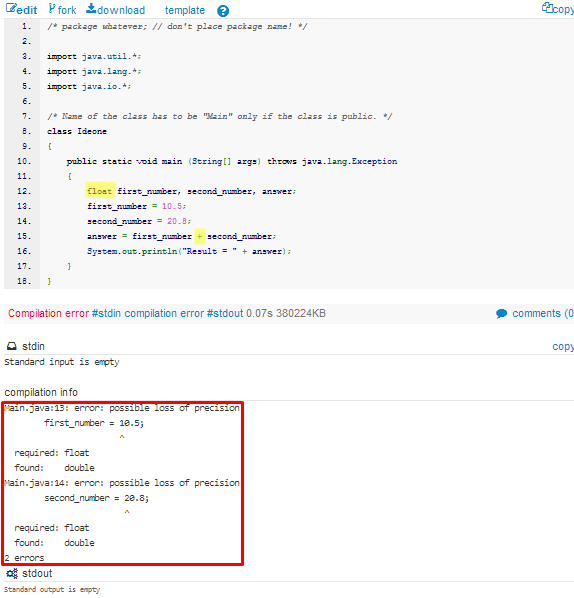
2-1) Change the variable data type in declaration statement.

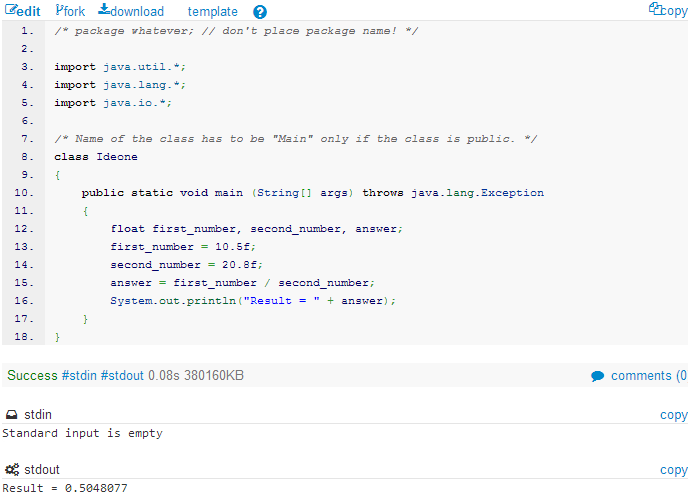
                float first_number, second_number, answer;
2-2) Change the operator in operation statement.

                answer = first_number + second_number;
2-3) Run.
Problem: Since we have declared the variables as float data type, the compiler expects to receive a float value instead of a double value.
Solution: We have to explicitly tell the compiler to assign float values by adding the letter f after the number.
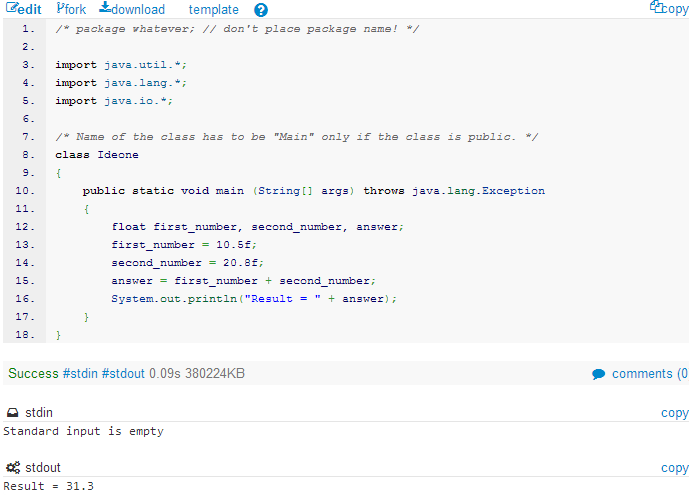
2-4) Add f to the value in assignment statement.

                first_number = 10.5f;
                second_number = 20.8f;
2-5) Run.
2-6) Change the operator in operation statement.

                answer = first_number / second_number;
2-7) Run.
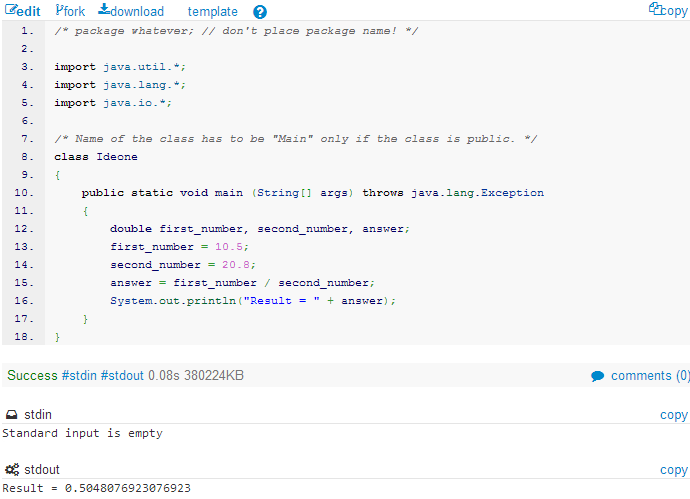
Java has taken the first 6 numbers after the point and then rounded up the rest. So the double variable type can hold more numbers than float (refer the screenshot below).  Double is a 64 bit number and float is only 32 bit.
Lessons:
Float is traditionally used for 32-bit architecture which does not support longer digits.  If you are targetting old 32-bit machines, you may consider using float. Otherwise, use double data type.

REFERENCE

---

IDEONE Java Basics 102 – Double Variables

---
IDEONE Java Basics 102 – Double Variables

PREREQUISITE

This tutorial uses the online compiler IDEone (www.ideone.com ).
IDEone gives you few benefits:
1) Zero setup. You just need Internet Connection and a modern Web Browser.
2) Online storage. You can refer back to the codes at later time.
3) Public codes available. You can also see how others write codes and learn from them as well.
4) Online Learning. You can ask a companion at remote location to help edit the codes or review your codes for improvements or troubleshooting algorithms.

STEPS

1) Start with the basic template

Clone the code above. (Click the Fork button).

2) Edit the codes.

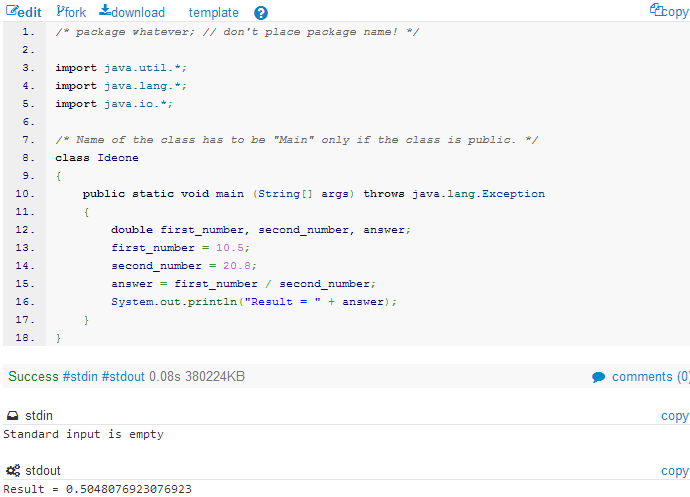
2-1) Change the variable data type in declaration statement.

                double first_number, second_number, answer;
2-2) Change the values in assignment statement.

                first_number = 10.5;
                second_number = 20.8;
2-3) Run.
2-4) Change the operator in the operation statement.

                answer = first_number / second_number;
2-5) Change the string value in the output statement.

                System.out.println("Result = " + answer);
2-6) Run.
Lessons:
- Use Double to store decimal point numbers
- Double format is a computer number format that occupies 8 bytes (64 bits) in computer memory and represents a wide dynamic range of values by using floating point.

REFERENCE

---

IDEONE JAVA BASICS 101 - Getting Started

---
IDEONE Java Basics 101 – Getting Started

PREREQUISITE

This tutorial uses the online compiler IDEone (www.ideone.com ).
IDEone gives you few benefits:
1) Zero setup. You just need Internet Connection and a modern Web Browser.
2) Online storage. You can refer back to the codes at later time.
3) Public codes available. You can also see how others write codes and learn from them as well.
4) Online Learning. You can ask a companion at remote location to help edit the codes or review your codes for improvements or troubleshooting algorithms.

STEPS

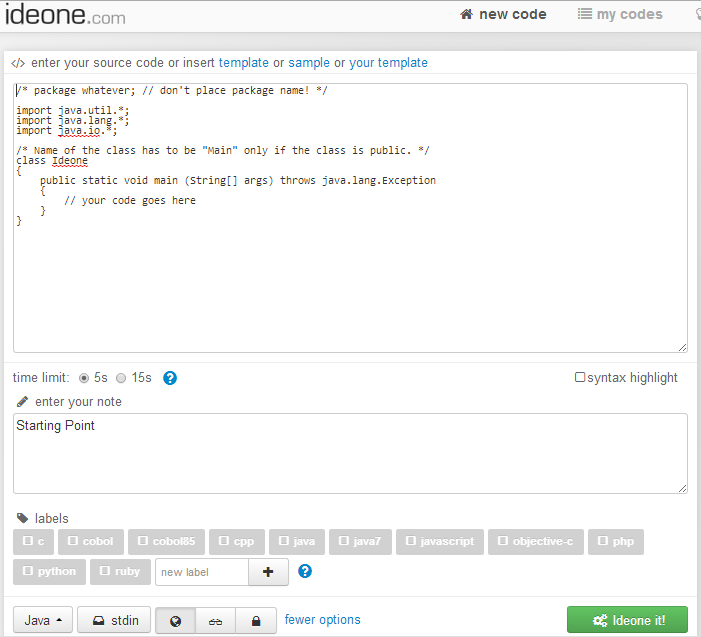
1) Start with the basic template

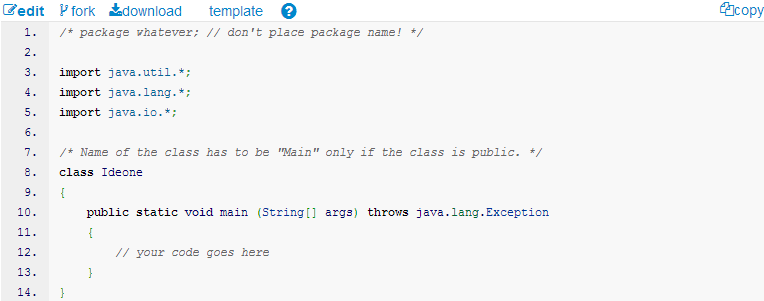
The first part of the screen is called the Editor Window.
The second part of the screen is the Messaging Window which constitutes the:
1) Compiler Message
2) Program Input Field
3) Program Output Field
Notice also the fork button at the top left of the code editor window.
Click fork button to clone the above codes.
Now you should have got your own code window with codes similar to the above.

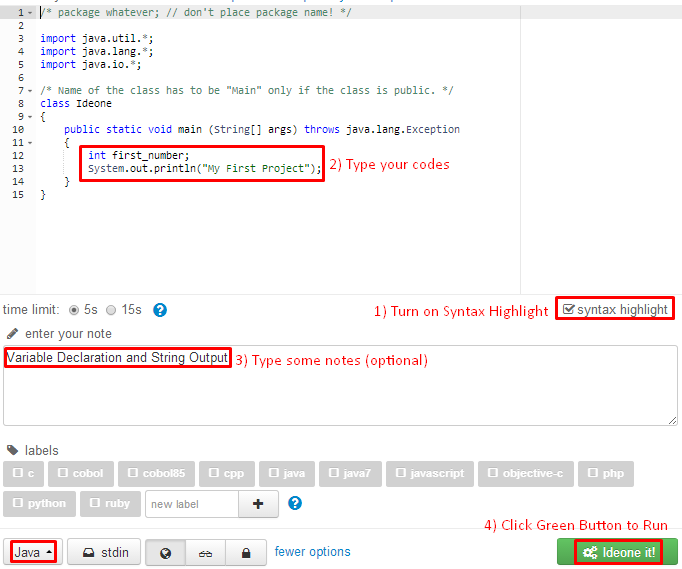
2) Using the IDEone Editor.

We are going to replace // your code goes here with the following codes:

                int first_number;
                System.out.println("My First Project");
Perform the following steps:

3) Observe the output

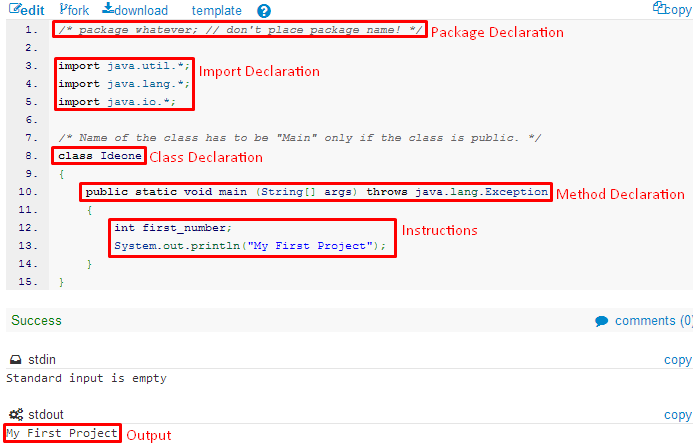
In general, Java Codes can be categorised into the followings:
a) Package Declaration - a way of identifying many source codes for various projects.
b) Import Declaration - registering java code libraries that you want to use for your codes.
c) Class - Java codes sources are physically saved and compiled as classes.
d) Method Declaration - Codes within a class can be further grouped into methods for better organization.
e) Instructions - Codes that actually instructs the computer to perform your required task.
As for a start, we are going to focus at Instructions only (point e in the list above). We will come to the other categories when we have understood the Java Basic Instructions.

4) Writing Instructions

Refer the code above (http://ideone.com/7vU4ve ).
There are two instructions here:
1) Declare an integer variable.
2) Output string to user.
We don’t see any impact of the first instruction (int first_number;) because it is an internal process.
Fork the code.
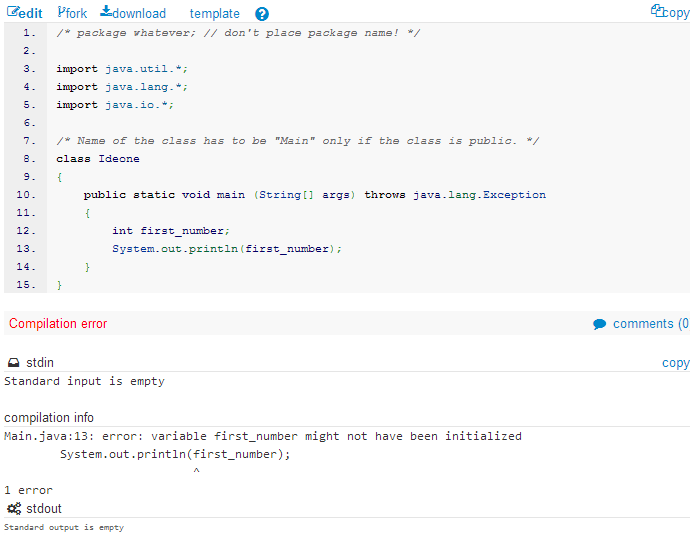
Edit line no.13  as follows.

                System.out.println(first_number);
Run.
We get Compiler Message as follows:

Error message: “variable first_number might not have been initialized”
Error Location: System.out.println(first_number);
Total Errors: 1 error
Explanation: first_number has been declared but has not been given a value. It is an error to instruct computer to print a variable that does not have a value.
The compiler will not run the program because of this error. So, we need to fix it.
Edit the instruction as follows (add the highlighted codes to the existing codes) :

                int first_number;
                first_number=10;
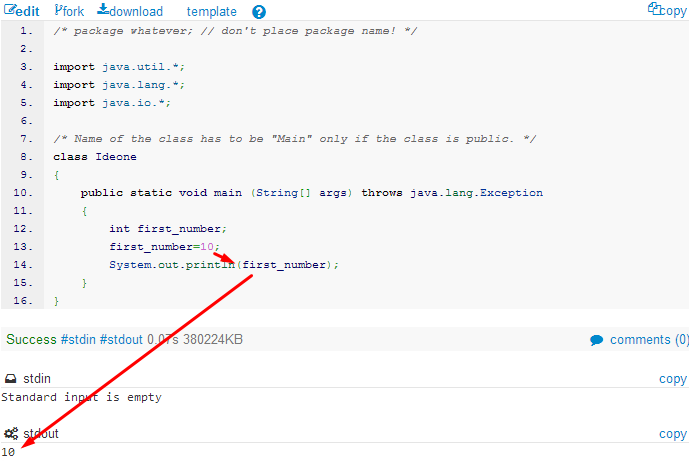
                System.out.println(first_number);
Run.
The error has been fixed. The compiler outputs 10.
Next, we are going to combine both String and Variable values.
Edit line no. 14 as follows (refer highlighted codes) :

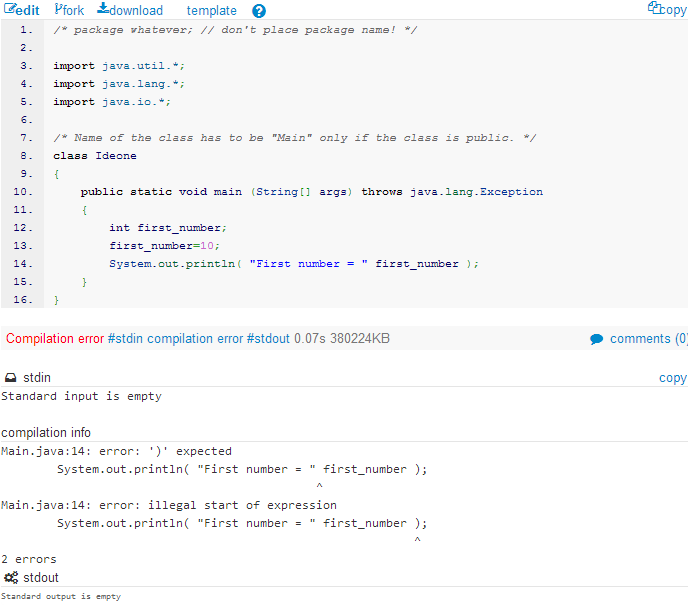
                System.out.println( "First number = " first_number );
Run.
The Compiler tells us that there are two errors.
The first error starts right after the string “First number =”.
Because of this error, succeeding codes were also not recognised by the compiler, thus leading to the second error.
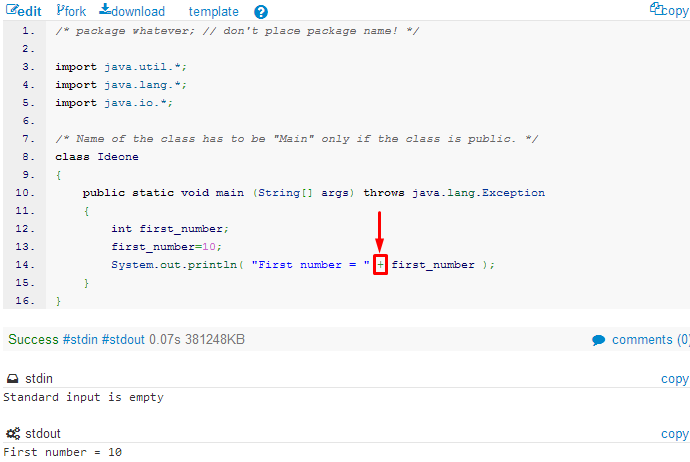
All in all, the actual problem is only one, ie there must be an operator in between the string and the variable (JOIN OPERATOR).
Edit line no. 14 as follows (refer highlighted codes) :

                System.out.println( "First number = " + first_number);
Run.

5) Adding More Variables.

Edit the instruction as follows (add the highlighted codes to the existing codes) :

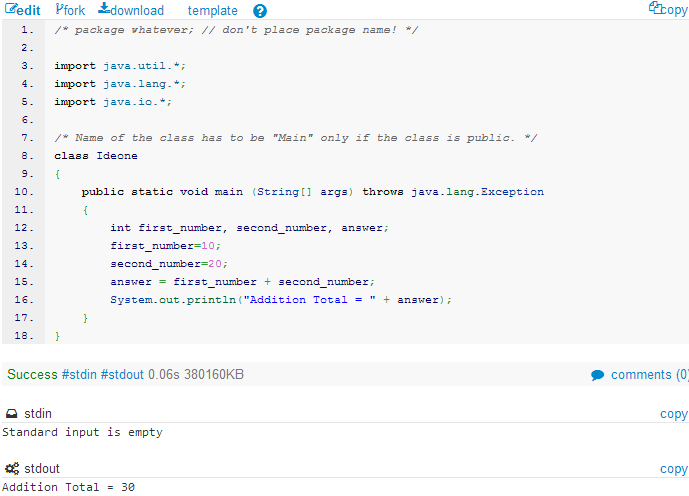
                int first_number, second_number, answer;
                first_number=10;
                second_number=20;
                answer = first_number + second_number;
                System.out.println("Addition Total = " + answer);
Run.
Lessons:
- You can declare many variables of the same daya type in a single statement.
- Number operation is similar to that of Mathematics.

REFERENCE

---